
Chrome Extension
Capture leads in one click — from IndiaMART & WhatsApp Web.
The OPIS CRM browser extension adds a blue + OPIS button directly on IndiaMART Lead Manager and WhatsApp Web. Save the buyer's name, number, company and city into your pipeline instantly — no copy-paste, no re-typing.
Works in Chrome, Edge, Brave, Arc & any Chromium browser.
One-click capture
A + OPIS button appears on IndiaMART inquiries and WhatsApp chats. Click once — lead saved.
Smart field detection
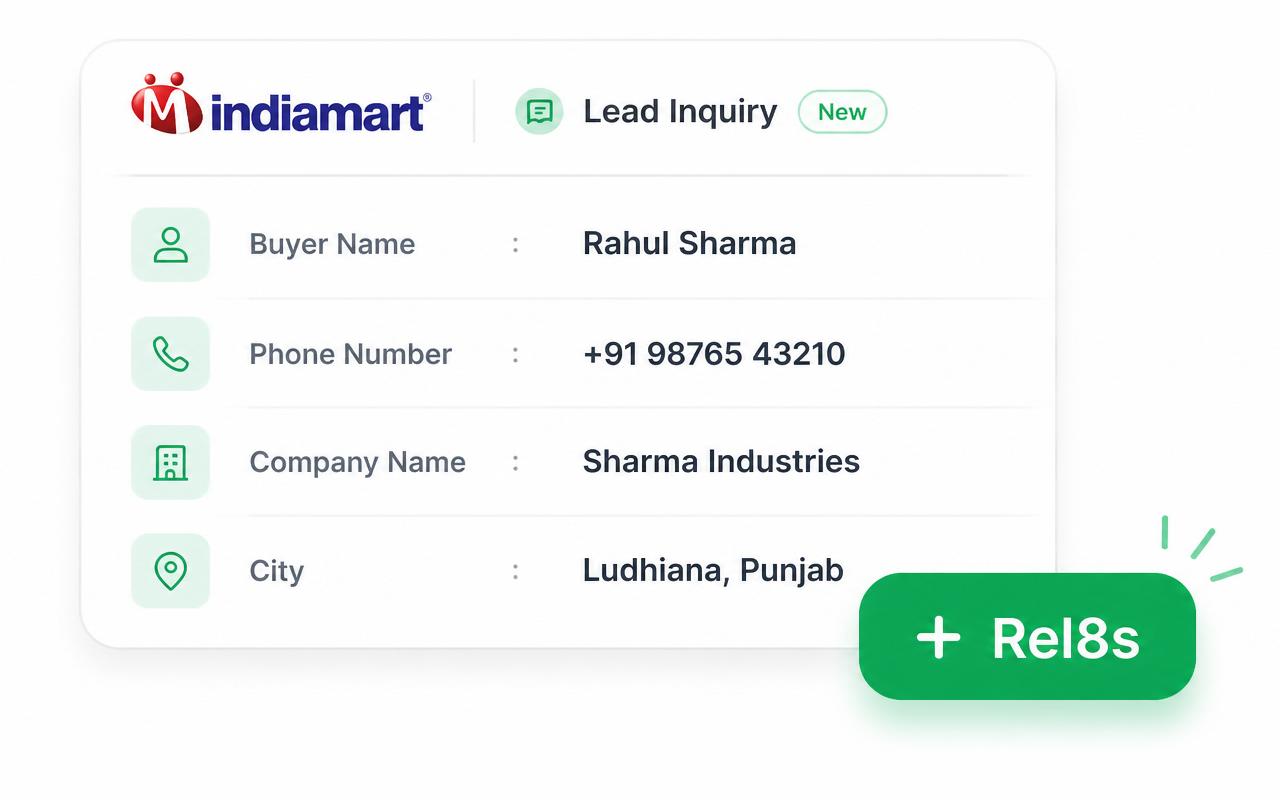
Automatically pulls the buyer's name, mobile, company and city from the active panel.
Secure by design
Uses your signed-in OPIS CRM session. Data goes straight to your account — nothing stored in between.
Where it works
IndiaMART Lead Manager
Open any inquiry inside seller.indiamart.com. OPIS CRM reads the active buyer's name, mobile, company and city.
WhatsApp Web
Open web.whatsapp.com, click any chat, and save the contact — name + phone — to your pipeline in one click.
Install in under a minute
- 1
Download the extension
Click Download extension above. You'll get an opis-crm-extension.zip file.
- 2
Unzip the file
Right-click the zip → Extract All. Remember the folder location.
- 3
Open Chrome extensions
Go to chrome://extensions in Chrome, Edge, Brave or any Chromium browser.
- 4
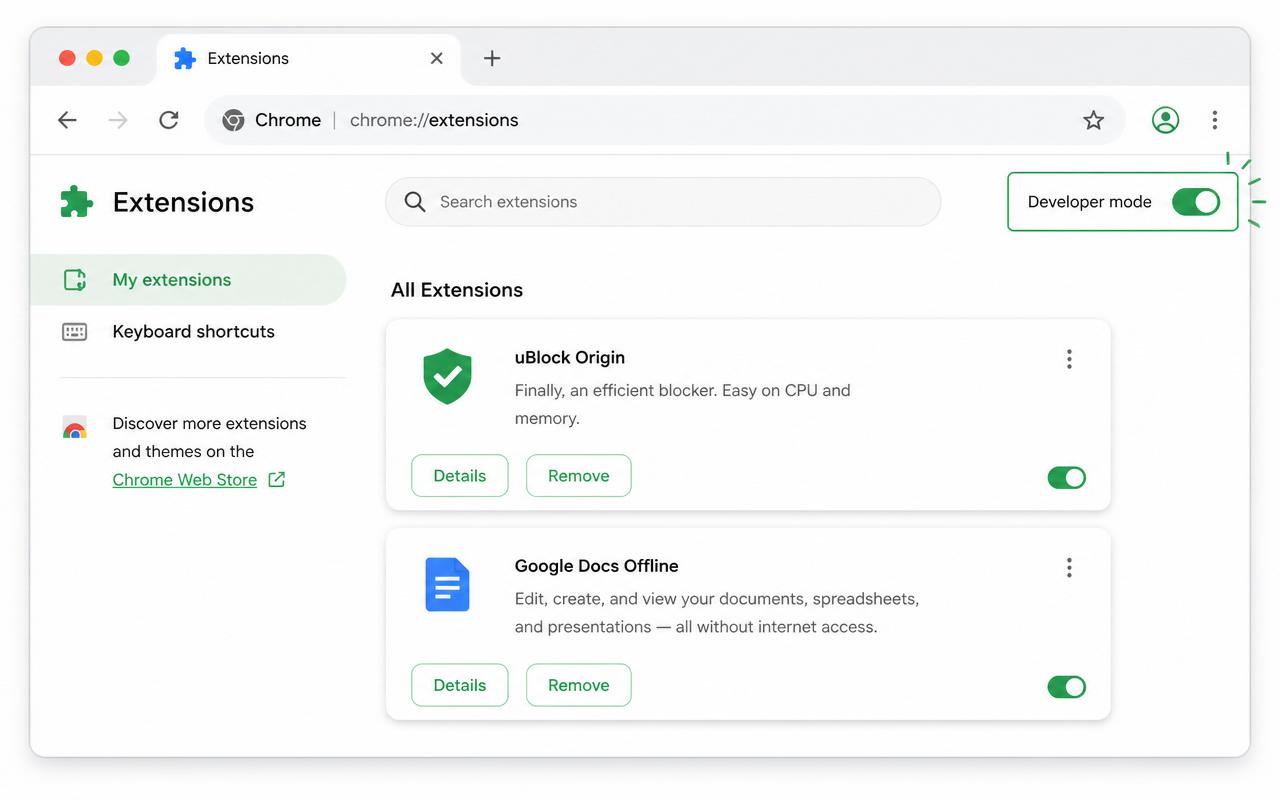
Enable Developer mode
Toggle Developer mode in the top-right corner of the page.
- 5
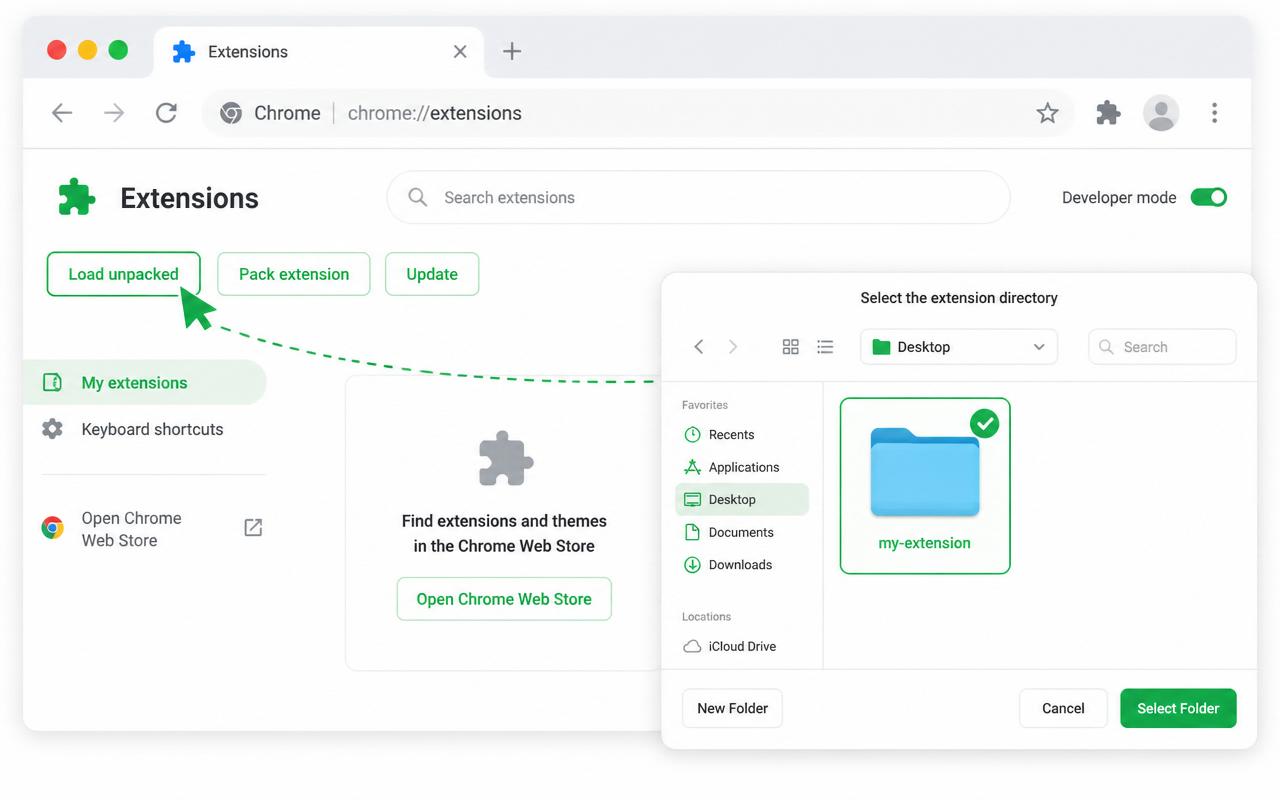
Load unpacked
Click Load unpacked and pick the folder you just extracted.
- 6
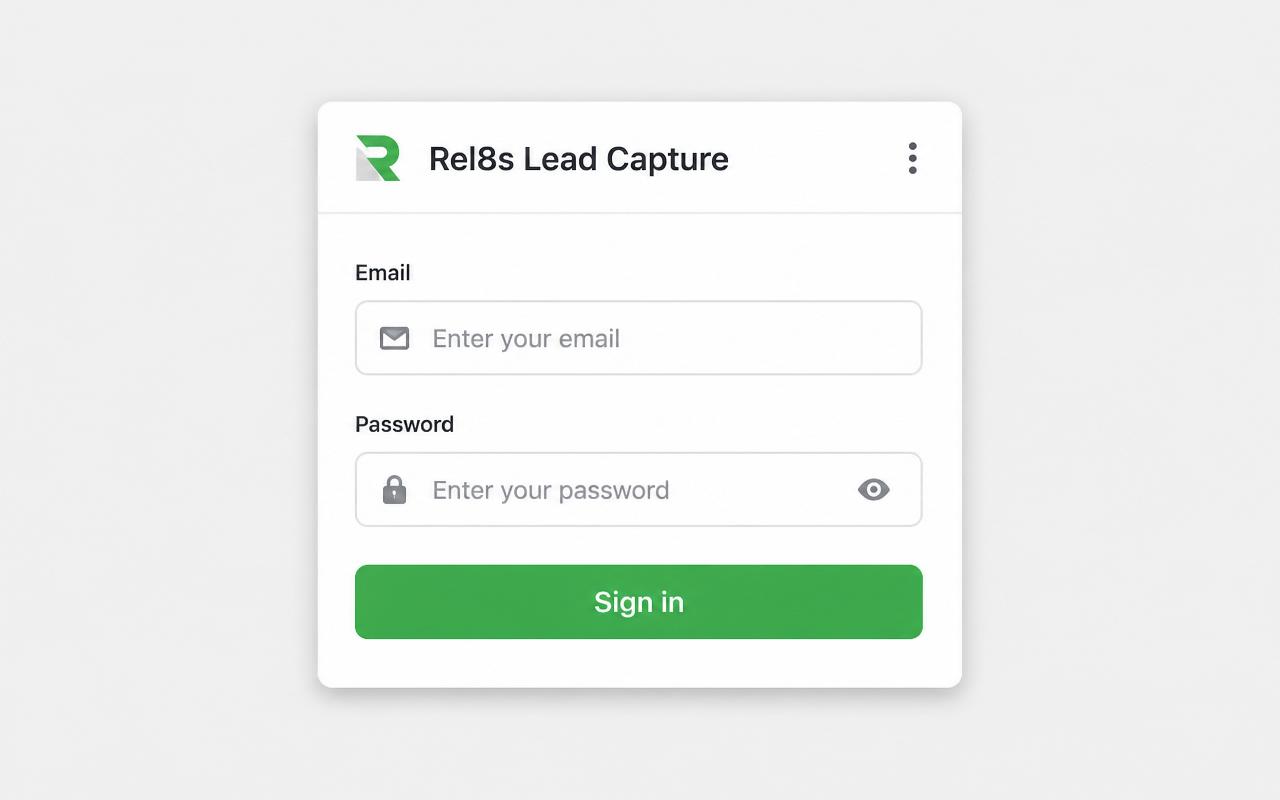
Sign in
Click the OPIS CRM extension icon in your toolbar and sign in with your OPIS CRM email & password.
- 7
Capture leads
Open an IndiaMART inquiry or WhatsApp chat — click the green + OPIS button. Done.
FAQ
Is it safe?
Yes. The extension only runs on IndiaMART and WhatsApp Web. It never reads any other site and uses your own signed-in session to save leads.
Does it work on Safari or Firefox?
Not yet. The extension is built for Chrome and other Chromium browsers (Edge, Brave, Arc, Opera). Safari and Firefox support are on the roadmap.
Do I need to be signed in on the website?
No. You sign in directly inside the extension popup with your OPIS CRM email and password — one time.
Will duplicate leads be created?
No. If a lead with the same phone number already exists in your account, we flag it instead of duplicating.
Who can see the captured leads?
Leads captured by an executive are assigned to that executive. Manager accounts see the whole team's leads.